|
|
 |
Pre-programmed page
flips |
 |
32 bit
.png transparent icons & buttons |
 |
Simple
and easy to configure source pages |
|
 |
Templates pay for themselves after one job |
 |
Unlimited lifetime usage license |
 |
Download your templates right away |
*New addition - iPhone / iPod Touch demo
template
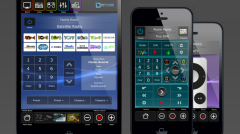
We have just added a new iPhone /
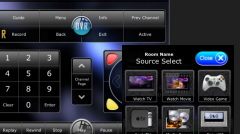
iPod Touch template with pages for controlling cable / satellite, DVD / Blu Ray,
and splash pages for gaming consoles. This template will allow you to get
acquainted with your NTG4 and Ness Genie Project Editor, allowing you to
test out IR / RS-232 codes, macros, and the new command tag feature. The page
flips are pre-assigned, so all you have to do is drag and drop your commands
onto the buttons, edit the text and upload to your processor and your iPhone or
iPod Touch.
|
 |
|
New mini demo file for
iPhone / iPod Touch - Available Now
Click on
the link to download |
|
Free |
|
 |
|
|
 |
|
$499 |
|
|
|
|
Our new Ness Genie templates can be easily imported as a new
project in the NTG4 Editor and many of the page flips are
pre-programmed for quick and easy editing. You can also save your
projects as HTML projects and run them from any PC or web tablet
if you haven't yet purchased an Apple iPad or iPhone / iPod Touch.
The Ness Genie Editor allows you to upload your projects
wirelessly to your Apple devices, all you need to do is install
the free NessTouch Genie app on each device.
Programming our templates to work with Ness Genie is very simple
because the IR codes are contained within the processor and can be
assigned to buttons using simple drag and drop. If you need to learn
any IR codes that are not contained in the database, it's as easy
as pointing the remote at the built in IR learner and saving your new
device codes. You can immediately test your IR codes simply
by double clicking them in the list.
Ness Genie can be easily programmed by the casual home automation
enthusiast and professionals alike. You can also load your
projects to multiple devices (iPad, iPhone / iPod Touch, PC)
without having to pay a separate licensing fee for each one.
|
|